Follow this solution if the Voice AI tutor is talking to you, but the transcript for your response does not match what you are saying.
Some examples of this are:
- You see another language script (e.g. Вот будет фикс; or Sınırlı olan)
- You see no text or [inaudible]
- Some words may be missing or incorrectly recorded
If this happens, check your microphone settings to make sure the Voice AI tutor is using the correct microphone.
Select your browser/device below to see which steps to follow:
Check Microphone Settings in Chrome
- Select Microphone icon next to the URL
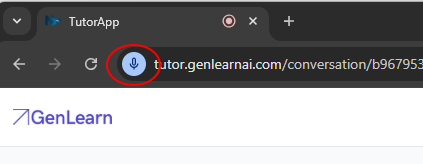
2. Select the arrow next to "Microphone"
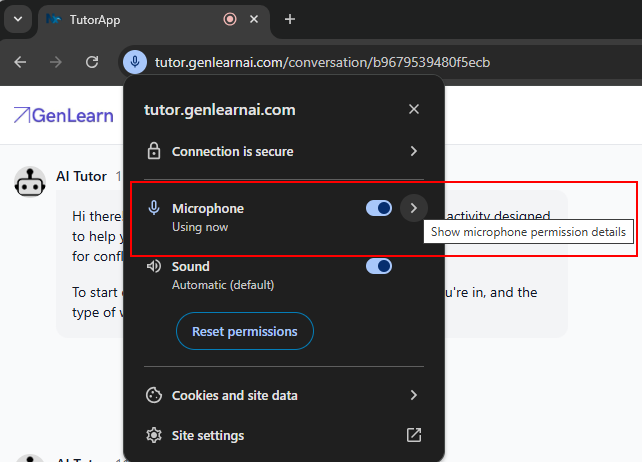
3. You will then be able to see which microphone the Voice AI tutor is using.
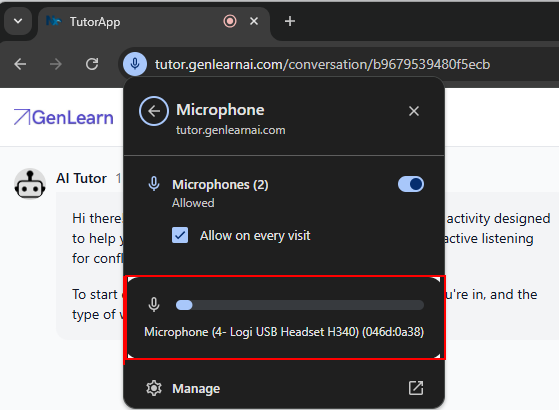
4. If this is not the correct microphone, select “Manage” then use the dropdown to select the correct microphone.
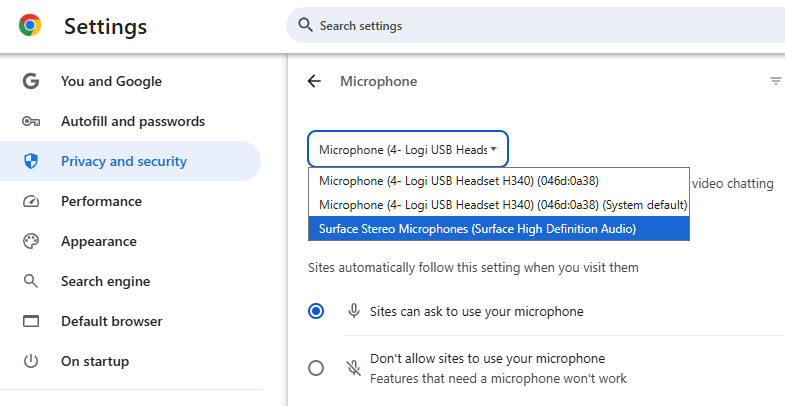
5. Return to the browser with the Voice AI tutor and restart the conversation by selecting the three dots in the top right corner or reloading the page
6. The Voice AI tutor should now be using the correct microphone and correctly transcribe your responses.
Check Microphone Settings in Firefox
- Select Microphone icon next to the URL
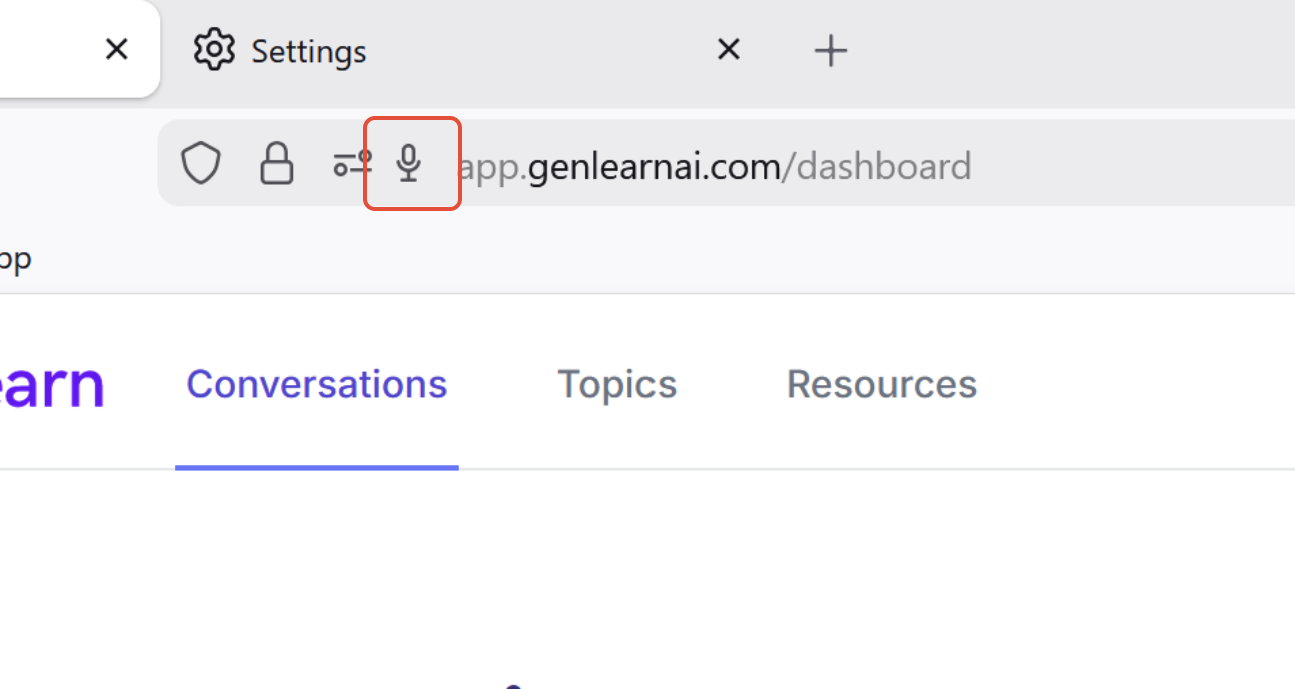
2. Select the arrow next to "Microphone"
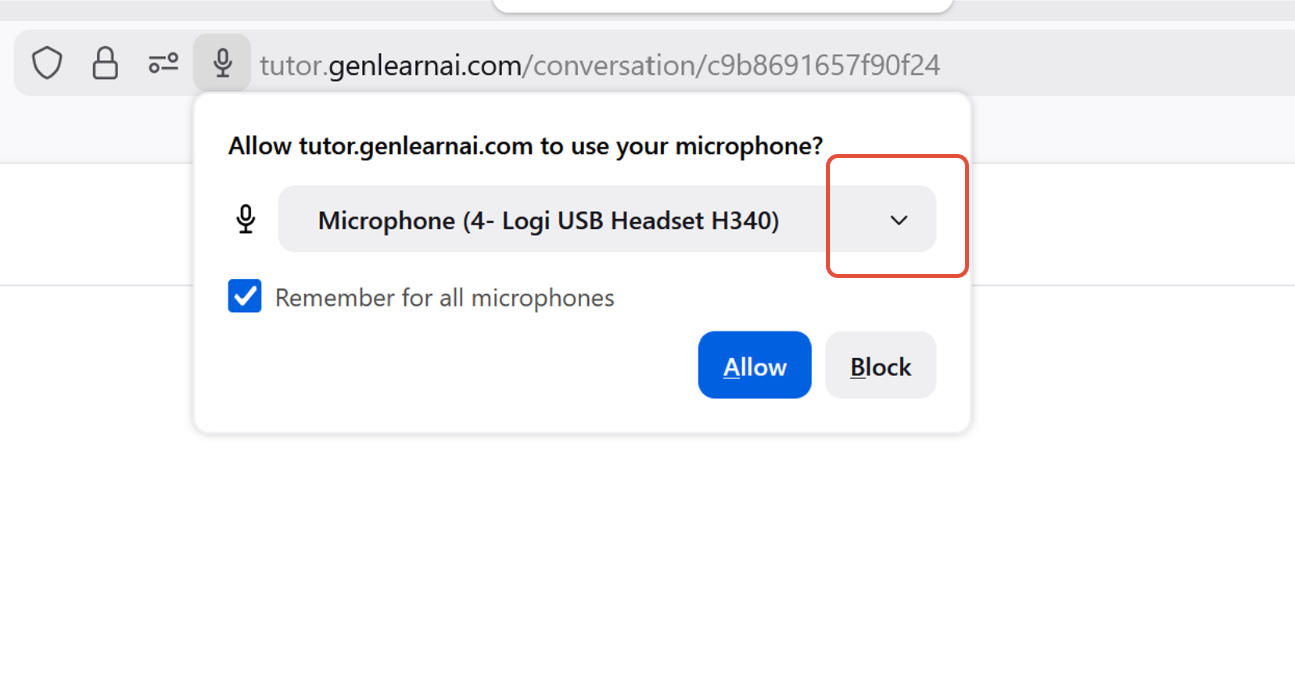
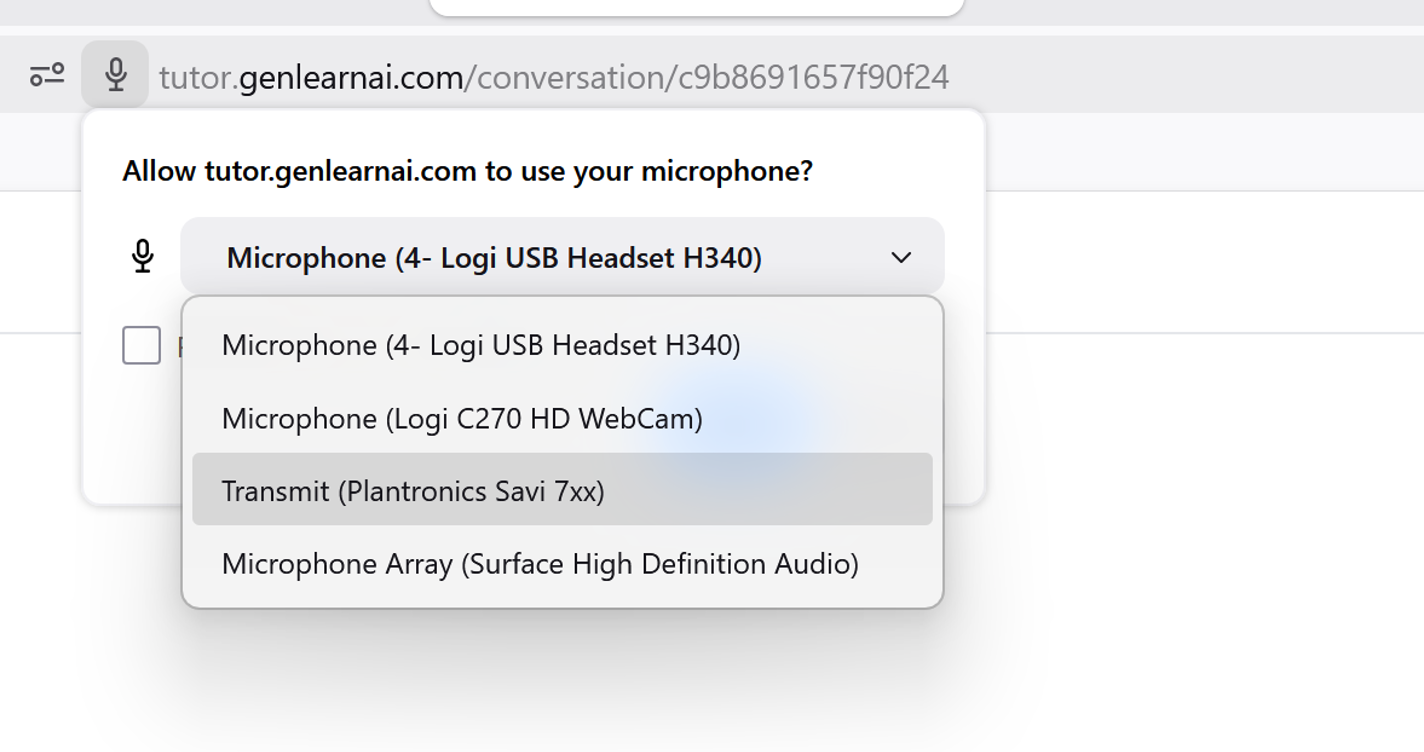
3. You will then be able to see which microphone the Voice AI tutor is using.
4. Select the correct microphone.
5. Return to the browser with the Voice AI tutor and restart the conversation by selecting the three dots in the top right corner or reloading the page
6. The Voice AI tutor should now be using the correct microphone and correctly transcribe your responses.
Was this article helpful?
That’s Great!
Thank you for your feedback
Sorry! We couldn't be helpful
Thank you for your feedback
Feedback sent
We appreciate your effort and will try to fix the article