Performance criteria uses AI to mark each criterion met or not met and returns an overall pass or fail recommendation. Follow this solution to add performance criteria to your conversations.
Steps
- Once you have built your conversation, using our conversation builder solution, scroll to the bottom of the builder to Add an assessment.
- Select 'Performance Criteria'
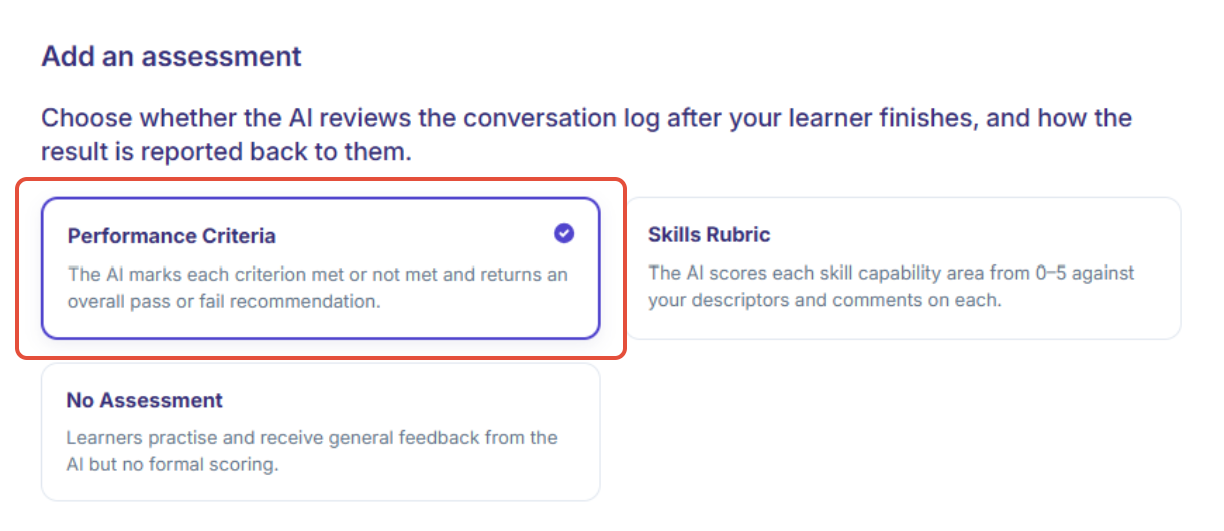
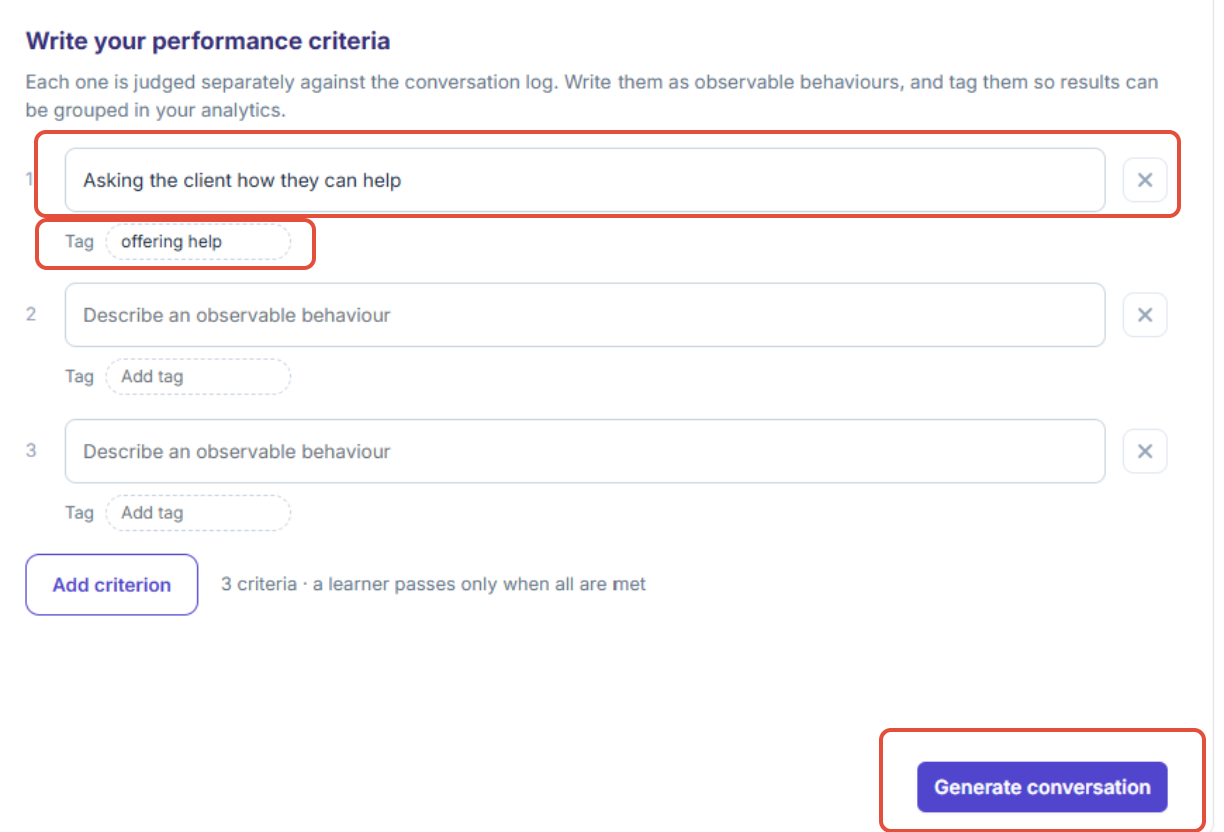
- A dropdown will appear which will allow you to customise your performance criteria:
- Click 'Describe an observable behaviour' and write a behaviour that must be met for the learner to pass the topic
- Add a tag so that results can be grouped in your analytics.
- NB: If you have multiple criterion, the tags must be different
- Once you are happy with your settings, select 'Generate conversation'
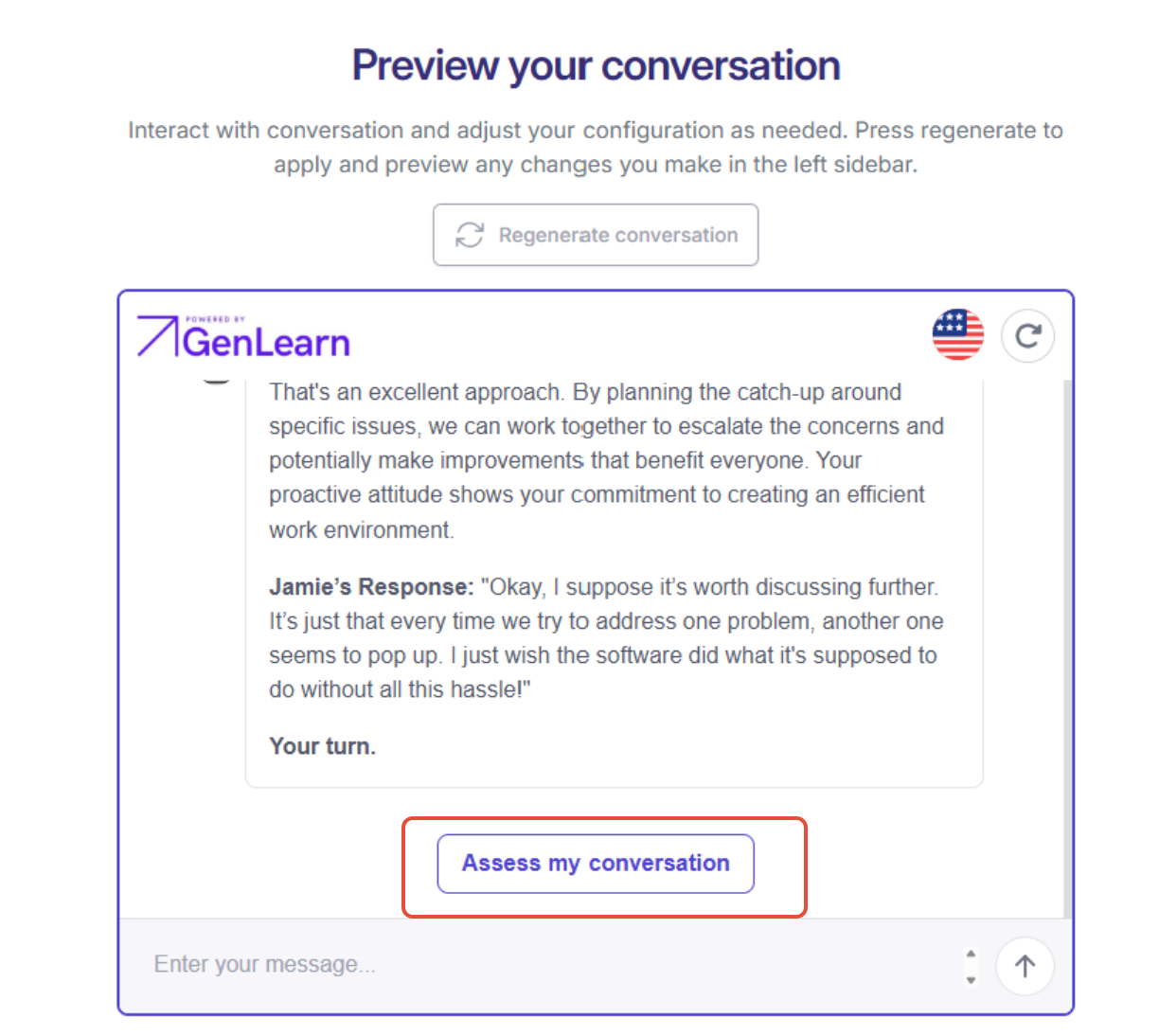
- Run through a conversation in the preview, and then select 'assess my conversation'
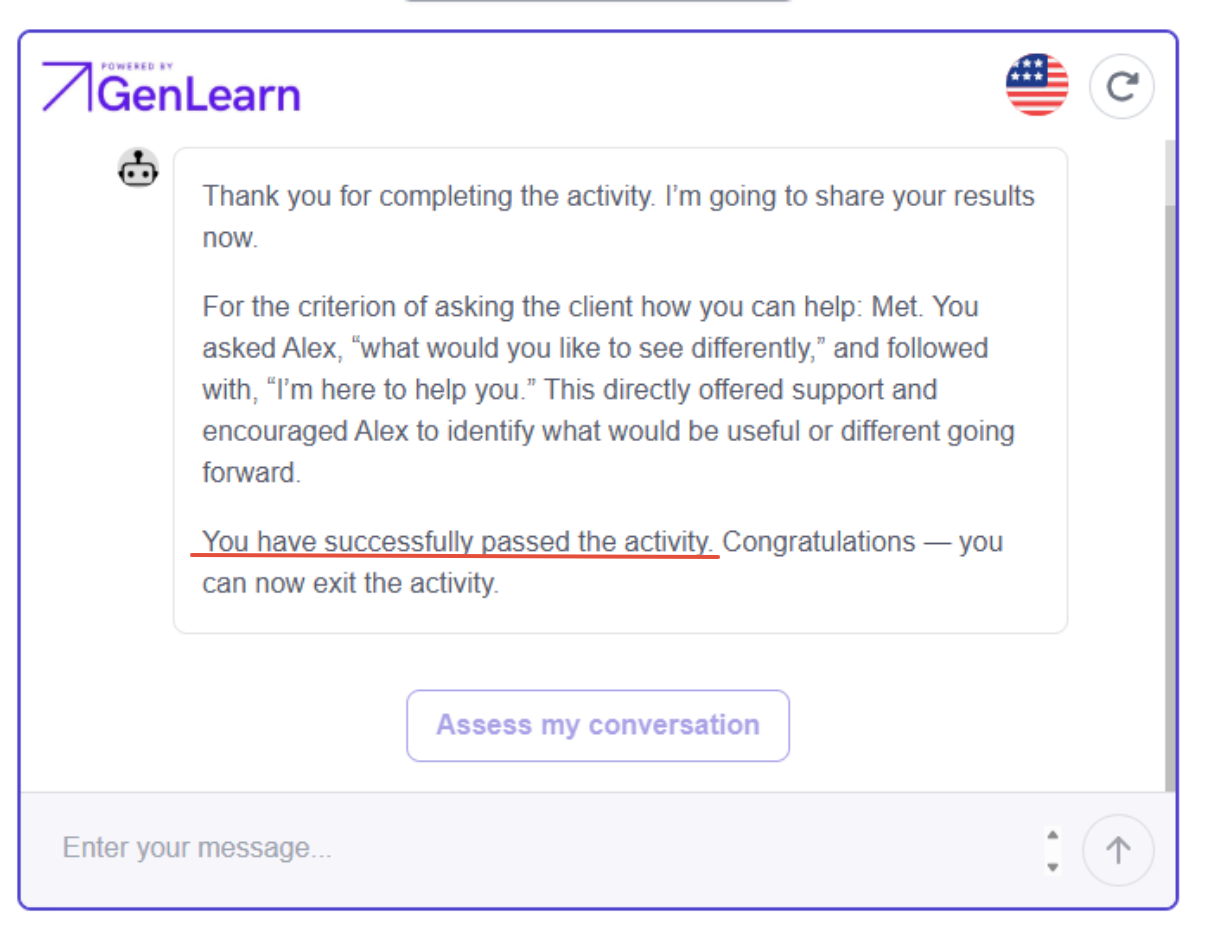
- The AI chatbot will provide a performance report with a pass or fail based on the performance criterion you provided it with
Was this article helpful?
That’s Great!
Thank you for your feedback
Sorry! We couldn't be helpful
Thank you for your feedback
Feedback sent
We appreciate your effort and will try to fix the article