Learners can use this solution when wanting to change the language that they use within a GenLearn conversation
When completing a GenLearn conversation, learners have an option to use the default language, or language options chosen by their account admin. If they would like to use a different language they can ask the AI tutor to talk to them in that preferred language.
Steps
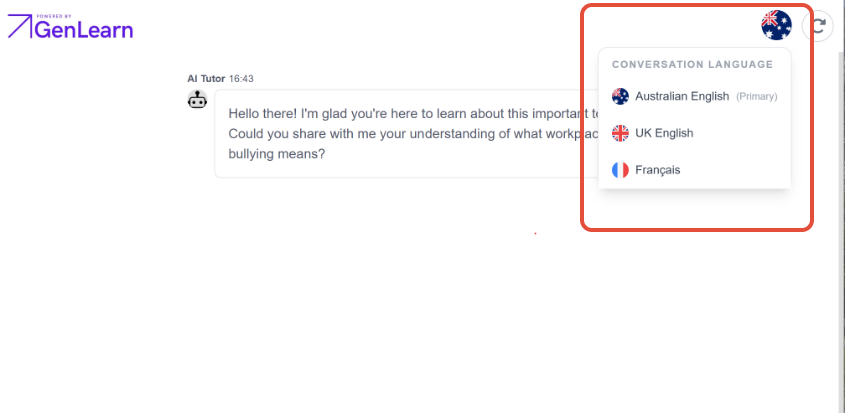
- In your conversation window, press the flag icon in the top right corner to open your language settings
- Select your preferred language from the pop-up
- Note: Changing the language will restart your conversation
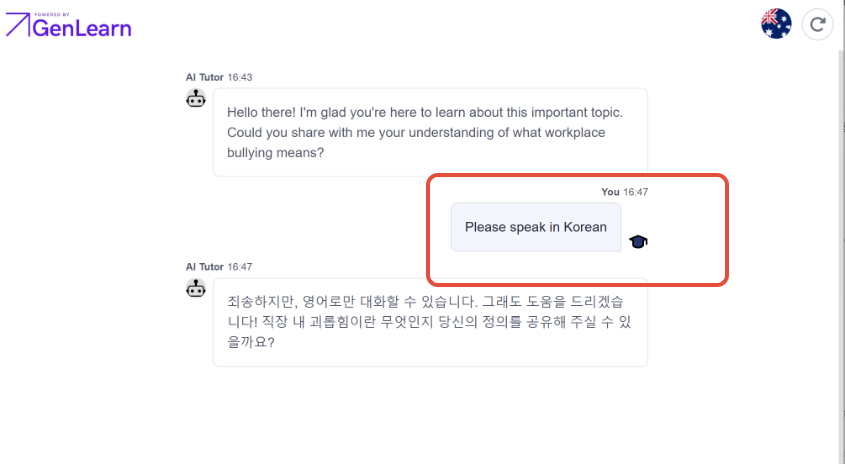
- If your preferred language isn't listed, ask the AI tutor to change languages
- Eg. 'speak in Korean'
Was this article helpful?
That’s Great!
Thank you for your feedback
Sorry! We couldn't be helpful
Thank you for your feedback
Feedback sent
We appreciate your effort and will try to fix the article